
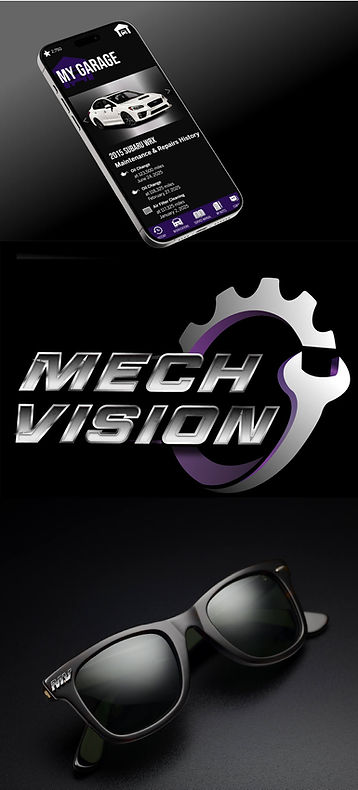
MECHVISION MOBILE LEARNING APP WITH SMART GLASSES INTEGRATION
Client:
My Role:
Services:
Needs Analysis, Learning Design, Motion Design, Prototyping, UI/UX Design
Solution:
Mobile Learning App and Smart Glasses AR Prototype
Summary:
Designed a mobile learning platform with smart glasses integration to teach DIY vehicle maintenance—featuring AI diagnostics, hands-free AR guidance, and five structured learning objectives. Graduate project showcasing innovation in emerging learning technologies.

CHALLENGE
DIY car owners face a steep learning curve when maintaining their own vehicles. Modern cars are increasingly complex, and existing resources—YouTube videos, forum threads, dense repair manuals—often leave learners overwhelmed, uncertain about safety, and unsure whether a repair is within their skill level.
As a DIY mechanic myself, I saw this problem firsthand in my car community. I conducted a needs analysis with fellow enthusiasts and identified five core learning gaps: diagnostic interpretation, safety assessment, procedural execution, parts sourcing, and systematic troubleshooting.
For my graduate mobile learning course at FSU, I set out to design a solution that met learners where they are—in the garage, often with greasy hands—and supported them across the full repair journey.
Why This Project Matters to Me
I'm a DIY mechanic—I've rebuilt turbos in my driveway and helped friends diagnose check engine lights over text. This project let me combine my personal passion with my instructional design skills to prototype something I actually want to build. MechVision isn't just a class assignment—it's a proof of concept for a product I plan to develop.

SOLUTION
I developed three potential solutions—a mobile app, an interactive ebook, and smart glasses—then evaluated each against feasibility, learning impact, and user context. The mobile app emerged as the primary platform because smartphones are already in every garage, but I recognized that complex, hands-on procedures benefit from hands-free guidance. So I designed an integrated system: a mobile learning app as the core experience, with optional smart glasses AR for immersive step-by-step repair walkthroughs.
Target Audience: Motivated beginner-to-intermediate DIY car owners aged 25–55 who are comfortable with smartphone technology but lack confidence in automotive diagnostics. These are hands-on learners who find traditional manuals overwhelming and prefer visual, step-by-step guidance.
Learning Objectives:
-
Accurately interpret vehicle error codes and warning lights
-
Assess whether a repair is safe to attempt DIY vs. requiring a professional
-
Execute basic maintenance procedures (oil changes, brake pads, diagnostics)
-
Identify and source correct replacement parts using VIN and specifications
-
Apply systematic troubleshooting from symptoms to solutions
Key Design Decisions:
-
AI-powered diagnostics for real-time error code interpretation and safety flagging
-
Voice control and offline caching because garage environments have poor connectivity and greasy hands
-
Gamification and progress tracking to build confidence through incremental skill challenges
-
Smart glasses AR overlays that highlight engine components and guide complex procedures hands-free
I built the interactive prototype in Adobe XD, created motion graphics and UI illustrations in Illustrator and Photoshop, and produced a pitch video in Camtasia to present the concept.
Adobe Firefly, Adobe Illustrator, Adobe Photoshop, Adobe XD, Camtasia

RESULTS
During user testing with classmates and members of my car community, testers praised the app's intuitive navigation and task-oriented design:
-
"The app is super intuitive and the navigation feels really natural. Honestly, I want to download this app today!"
-
"Packed full of information and gamification to encourage users to optimize the app's features to their benefit. One stop shop!"
-
"The user journey is logical and streamlined, starting from vehicle selection and leading directly into actionable projects."
This project earned top marks in my graduate program and reinforced my interest in emerging learning technologies. I plan to develop MechVision into a functional app in the future—this prototype is the foundation.
WHAT I CREATED
Explore the interactive prototypes I built in Adobe XD. The mobile app is the core learning experience—start there to see how users navigate diagnostics, tutorials, and parts sourcing. Then watch the pitch video for context on my design rationale, and check out the smart glasses demo to see how AR extends the experience for hands-free, in-garage learning.
Note: Not all buttons and components function within these prototypes.


The Thinking Behind the Project
Want to see the instructional design work under the hood? The design document details my target audience analysis, five learning objectives, platform rationale, and feature specifications. This is where the strategy lives.